
Hosting and Domains: The Pillars of Your Online Presence
In the vast and ever-expanding digital landscape, having an online presence is no longer a luxury but a necessity for individuals and businesses alike. Whether you’re launching a personal blog, an e-commerce store, or a corporate website, two fundamental components are indispensable: web hosting and domain names. These two elements work in tandem to make your website accessible to the world. Understanding their roles, how they function, and how to choose the right options is crucial for anyone venturing into the online realm.
What is Web Hosting?
Imagine your website as a physical house. For this house to exist, it needs a plot of land to be built upon. In the digital world, web hosting is that plot of land. More precisely, web hosting refers to the service that allows individuals and organizations to post a website or web page onto the Internet. A web host, or hosting provider, is a business that provides the technologies and services needed for the website or webpage to be viewed in the Internet. Websites are hosted on special computers called servers.
When users want to view your website, all they need to do is type your website address or domain name into their browser. Their computer will then connect to your server, and your webpages will be delivered to them through the browser.
How Does Web Hosting Work?
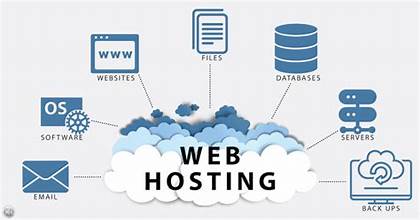
At its core, web hosting involves storing your website’s files (HTML, CSS, images, videos, databases, etc.) on powerful computers called servers. These servers are maintained by hosting providers in secure data centers, ensuring they are always connected to the internet and operational.
Here’s a simplified breakdown of the process:
- You create your website: This involves designing the layout, writing content, and adding any necessary functionalities.
- You choose a web hosting provider: You sign up for a hosting plan that suits your needs.
- You upload your website files to the server: This can be done via FTP (File Transfer Protocol), a control panel (like cPanel), or integrated website builders.
- The server stores your files: Your website’s data is now stored on the hosting provider’s server.
- Visitors access your site: When someone types your domain name into their browser, their request is sent to the server where your website is hosted.
- The server delivers your website: The server then sends the website files back to the user’s browser, allowing them to view your site.
` A visual representation of how web hosting works, showing a user’s computer connecting to a server in a data center to access website files.

Types of Web Hosting
Just as there are different types of houses, there are various types of web hosting, each offering different levels of resources, control, and cost. Choosing the right one depends on your website’s size, traffic, technical expertise, and budget.
- Shared Hosting:
- Concept: Multiple websites share the same server resources (CPU, RAM, disk space).
- Pros: Most affordable, easy to use, ideal for small websites, blogs, and startups.
- Cons: Performance can be affected by “noisy neighbors” (other websites on the same server experiencing high traffic), limited resources.
- Analogy: Living in an apartment building where you share common facilities.
- VPS Hosting (Virtual Private Server):
- Concept: A physical server is divided into several virtual private servers. Each VPS operates independently with its own dedicated resources, even though it shares the same physical hardware.
- Pros: More resources and better performance than shared hosting, greater control (root access), scalable.
- Cons: More expensive than shared hosting, requires some technical knowledge to manage.
- Analogy: Owning a condo unit in a building; you have your own space and resources within a shared structure.
- Dedicated Hosting:
- Concept: You get an entire physical server exclusively for your website(s).
- Pros: Maximum performance, security, and control; no “noisy neighbor” issues.
- Cons: Most expensive, requires significant technical expertise to manage.
- Analogy: Owning a standalone house with your own land.
- Cloud Hosting:
- Concept: Your website is hosted on a network of interconnected virtual servers (the “cloud”). Resources are dynamically allocated from this network as needed.
- Pros: Highly scalable (can handle traffic spikes easily), excellent reliability (if one server fails, another takes over), pay-as-you-go pricing.
- Cons: Can be complex to manage, costs can fluctuate based on usage.
- Analogy: A vast, flexible estate where resources can be summoned as needed from a pool.
- Managed WordPress Hosting:
- Concept: Optimized hosting specifically for WordPress websites. The hosting provider handles technical aspects like updates, backups, security, and performance optimization.
- Pros: Excellent performance for WordPress sites, strong security, dedicated support, hands-off management.
- Cons: More expensive than general shared hosting, often limited to WordPress only.
- ` A bar graph comparing the cost and performance of different hosting types (Shared, VPS, Dedicated, Cloud), illustrating a general trend of higher cost equating to higher performance and control.
What is a Domain Name?
If web hosting is the land for your house, then the domain name is your house’s street address. It’s the unique, easy-to-remember name that people type into their web browser to find your website. For example, google.com, wikipedia.org, or yourbusinessname.com.
Without a domain name, people would have to remember a complex series of numbers called an IP address (e.g., 192.0.2.1 or 2001:0db8:85a3:0000:0000:8a2e:0370:7334). Domain names translate these numerical IP addresses into memorable, human-readable words.
Anatomy of a Domain Name
A domain name typically consists of two main parts:
- Second-Level Domain (SLD): This is the unique name you choose for your website (e.g., “google,” “wikipedia,” “yourbusinessname”).
- Top-Level Domain (TLD): This is the extension at the end of the domain name (e.g., “.com,” “.org,” “.net,” “.gov,” “.edu,” or country-code TLDs like “.uk,” “.de”).
Together, they form the complete domain name. For google.com, “google” is the SLD, and “.com” is the TLD.
How Do Domain Names Work?
When you type a domain name into your browser, a process called DNS (Domain Name System) resolution occurs:
- Your browser sends a request to a DNS resolver.
- The DNS resolver queries a series of DNS servers to find the IP address associated with that domain name.
- Once the IP address is found, the DNS resolver returns it to your browser.
- Your browser then uses this IP address to connect to the web server where your website is hosted.
- The web server delivers your website’s content to your browser.
This entire process happens in milliseconds, making it seamless for the end-user.
` An infographic illustrating the DNS resolution process: user types domain name, request goes to DNS resolver, resolver queries DNS servers, IP address is found, browser connects to server, website loads.
Choosing a Domain Name
Selecting the right domain name is crucial for branding, memorability, and SEO (Search Engine Optimization). Here are some tips:
- Keep it short and simple: Easy to type and remember.
- Make it relevant: Reflect your brand, business, or website content.
- Use keywords (if possible): Can help with SEO, but don’t force it.
- Avoid hyphens and numbers: They make it harder to remember and communicate.
- Choose the right TLD:
.comis generally preferred for businesses due to its widespread recognition..orgfor non-profits..netfor network-related services.- Country-code TLDs (e.g.,
.co.uk,.ca) for targeting specific regions. - Newer TLDs (e.g.,
.app,.shop,.io) offer more availability and can be very specific.
- Check for availability: Many tools exist to help you find available domain names.
- Consider purchasing variations: This can protect your brand from competitors or typos.
Registering a Domain Name
Domain names are registered through domain registrars, which are organizations accredited by ICANN (Internet Corporation for Assigned Names and Numbers) to manage the reservation of domain names. When you register a domain name, you don’t actually “buy” it forever; you lease it for a specific period (typically 1-10 years) and need to renew it periodically.

The Relationship Between Hosting and Domains
It’s vital to understand that web hosting and domain names are separate services, but they are intrinsically linked. You can have a domain name without hosting (it just won’t point to a website), and you can have hosting without a domain name (you’d access your site via an IP address, which isn’t practical).
For your website to be live and accessible:
- You need web hosting to store your website files.
- You need a domain name as the address that points to those files on your web host’s server.
Once you have both, you need to “connect” them. This is done by updating your domain’s DNS settings (specifically, the nameservers) to point to your web hosting provider. Your hosting provider will give you the specific nameserver addresses (e.g., ns1.hostprovider.com, ns2.hostprovider.com) that you then enter into your domain registrar’s control panel.
` A diagram showing the connection between a domain name and web hosting. An arrow points from the domain name (URL typed by user) to a DNS server, which then points to a web server (hosting) where website files are stored, ultimately delivering the website back to the user.
Key Considerations When Choosing Hosting and Domain Providers
When setting up your online presence, making informed decisions about your hosting and domain is paramount.
For Web Hosting:
- Reliability and Uptime: Your website needs to be available 24/7. Look for providers guaranteeing high uptime (99.9% or higher).
- Performance (Speed): Website loading speed is crucial for user experience and SEO. Consider factors like SSD storage, CDN (Content Delivery Network) integration, and server locations.
- Scalability: Can your hosting plan grow with your website? It’s easier to upgrade an existing plan than to migrate to a new provider.
- Security Features: Look for SSL certificates (essential for HTTPS), firewalls, malware scanning, and DDoS protection.
- Customer Support: Responsive and knowledgeable support is invaluable, especially for beginners.
- Control Panel: An intuitive control panel (like cPanel or Plesk) makes managing your hosting easier.
- Pricing and Renewal Costs: Be aware of introductory offers versus renewal rates.
- Backups: Automatic daily or weekly backups are essential for disaster recovery.
For Domain Names:
- Reputable Registrar: Choose an accredited registrar with a good track record.
- Transparent Pricing: Check for hidden fees, renewal costs, and any additional services automatically added to your cart.
- Domain Management Tools: An easy-to-use interface for managing DNS settings, renewals, and domain transfers.
- Privacy Protection (WHOIS Privacy): This service hides your personal contact information from the public WHOIS database, protecting you from spam.
- Customer Support: Important for resolving any issues with your domain.
- Renewal Reminders: Ensure the registrar sends timely reminders to prevent your domain from expiring and potentially being lost.